Relativistic Nuclear Collisions
Index Next
Parameters
Open CMBE application and select Simulations\FAIR
- Rections schema: is provided as an XML configuration file: [CMBE]\Docs\FairReactions.xml.
- Path: select the folder and the "root file name" for the simulation output files.
- Temporal resolution: default value 0.1 Fm/c.
- Simulation time: default value 200 Fm/c.
- Px(MeV): the incident momentum in MeV.
- Collider checkbox: used to swithch between collider and target-projectile modes. The equivalent incident momentum is automatically calculated/suggested.
- Reactions checkbox: uncheck for ignoring reactions => only ellastic collisions will be considerd.
- bMin and bMax: uncheck first the Auto checkbox if specific bMin and bMax values are intended => the collision parameter will have random values in [bMin, bMax] range.
- Auto checkbox: when checked, bMin and bMax will be automatically calculated as a function of colliding nuclei radii.
- Cubic checkbox: when checked, nucleons will initially be placed at the vertices of a cubic lattice.
- Covariant force checkbox: used only for comparison with the old version (which does not support the Lorentz contraction of colliding nuclei).
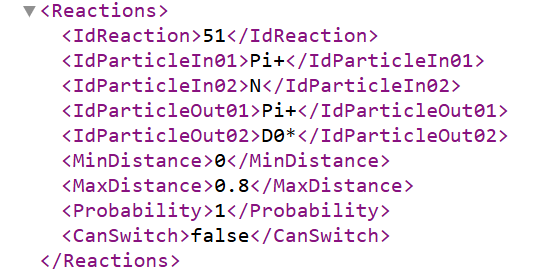
Bi-particle reaction example (FairReactions.xml)
Monte Carlo Simulations
- Start idx.: the index of the first event.
- Events No: the number of events to be simulated.
When running a simulation on multiple machines, one could set adjacent intervals, e.g.:
Machine 1: Start idx = 1, Events No = 200; Machine 2: Start idx = 201, Events No = 200; ...
Thus, the log files could be merged when all simulations end.
Press the Mone Carlo button
Note! By unchecking the Preview checkbox, performance will slightly improve.
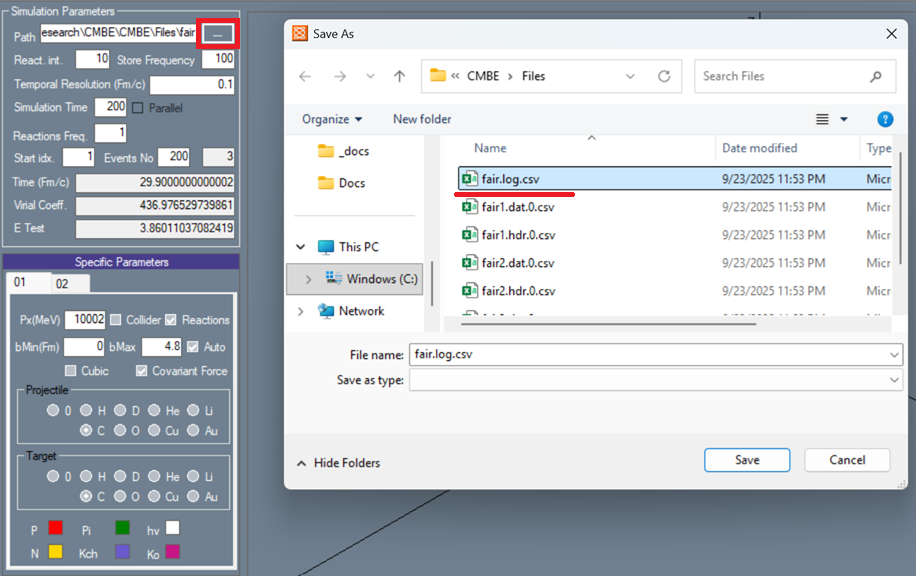
CMBE simulation output files example
Processing the simulation output files
- For accessing the simulation output files, click the 3 dots button near the Path parameter.
- The particles in final state are stored in the corresponding comma separated values (csv) simulation log file (e.g. fair.log.csv).
- The .log.csv file contains the following columns: event index, particle code, particle mass, particle position, and particle momentum.
- For calculating more measures (rapidity, angle etc.), an excel file with specific formulas was considerd: select Analysis\Relativistic Formulas XLS from CMBE menu.
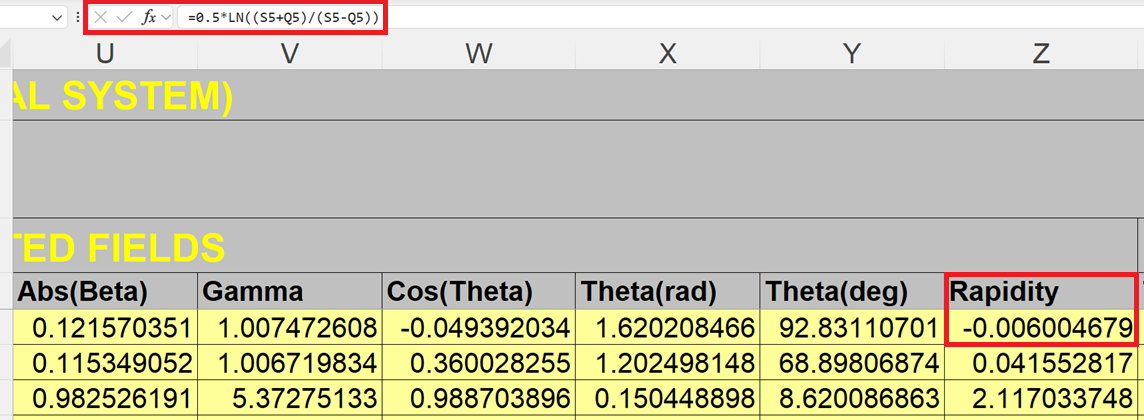
Example of formulas defined in the Relativistic.Formulas.xls Excel file
References